Attention,
reclaimed.
Null blocks the apps that pull you away, so your attention stays where you put it. Pick the apps. Set a time. Disappear.
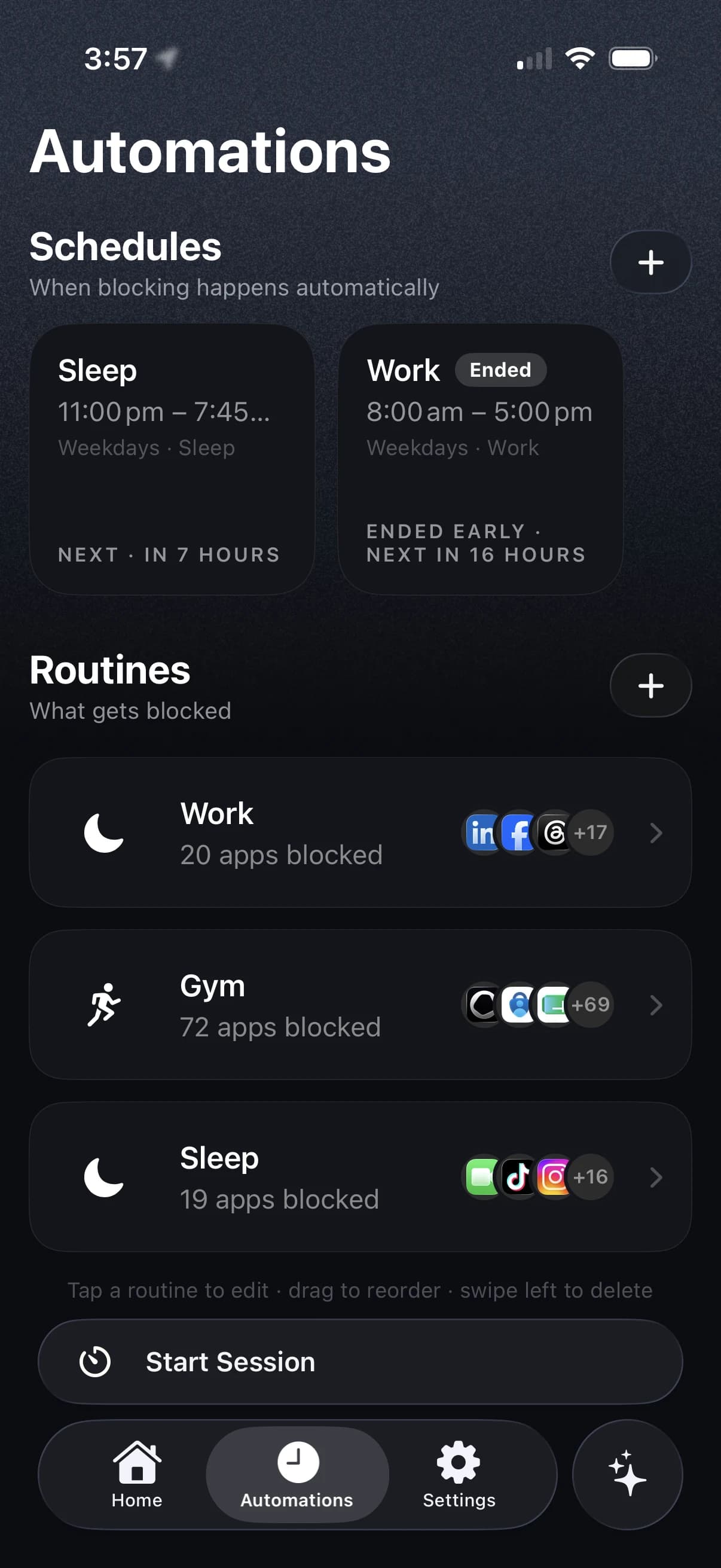
TWO WAYS TO DISAPPEAR
Start it yourself, or never decide again.
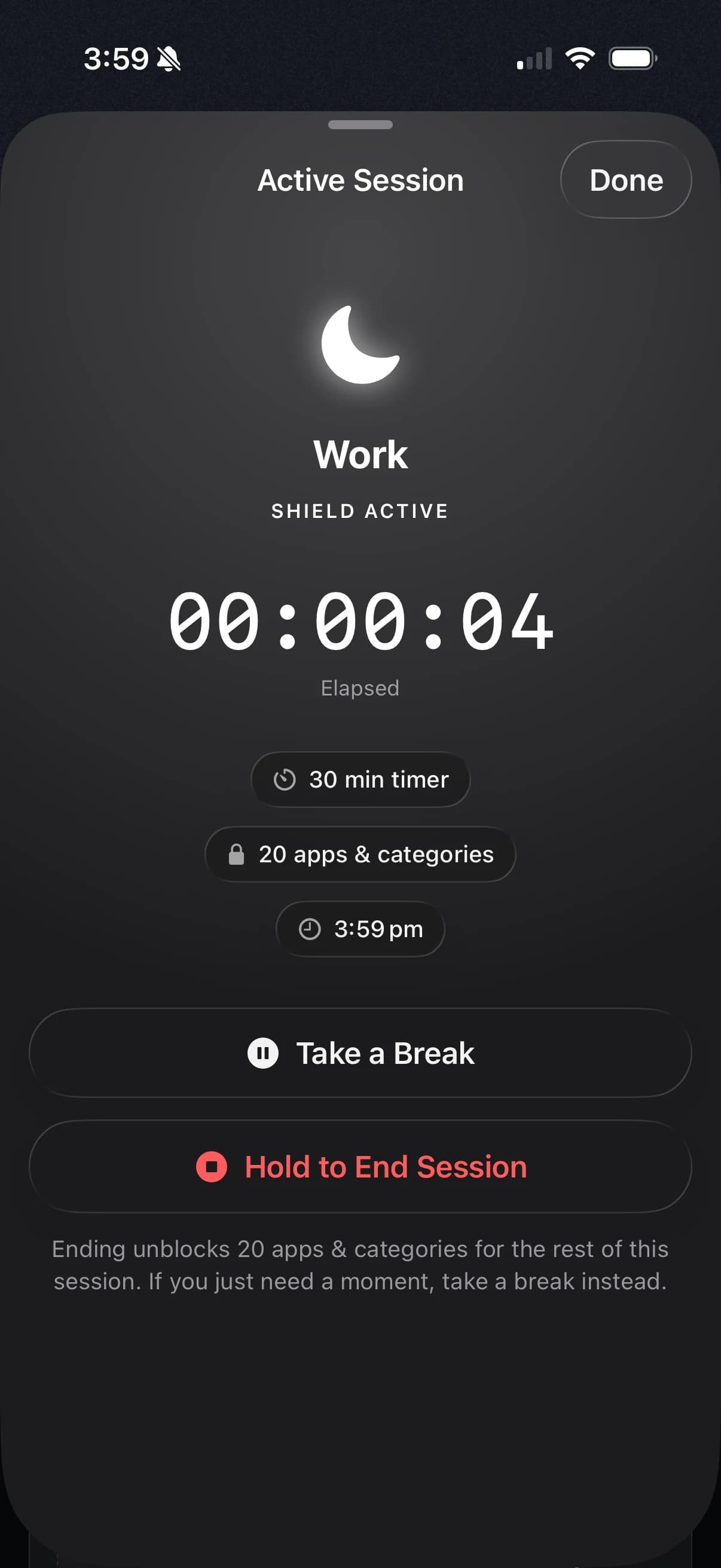
Timer
Start a one-off session for exactly as long as you need. 15 minutes, two hours, or no end time at all.
Schedule
Focus starts on its own. Weekday mornings, evenings, deep work blocks. Set it once and stop deciding.
Routines that reuse themselves
Build a routine once — Deep Work, Study, Wind Down — choose the apps it blocks, then reuse it across every session and schedule. Add breaks inside a schedule for lunch or a proper pause.
Turn it on. No pause, no early exit, no bargaining with yourself at minute four.
Sessions can be paused by default. Switch on Hard Mode when you need the door closed properly, and that goes away too — the shield stays up until time runs out.
Works when the app is closed
Null uses Apple's Screen Time framework, so shields go up and come down on time whether or not Null is open.
Live Activities & Dynamic Island
See what's running at a glance — elapsed time and the active routine, right on your Lock Screen.
Widgets on the Home Screen
Keep your focus in view — scores, streaks and the next scheduled session, without opening the app.
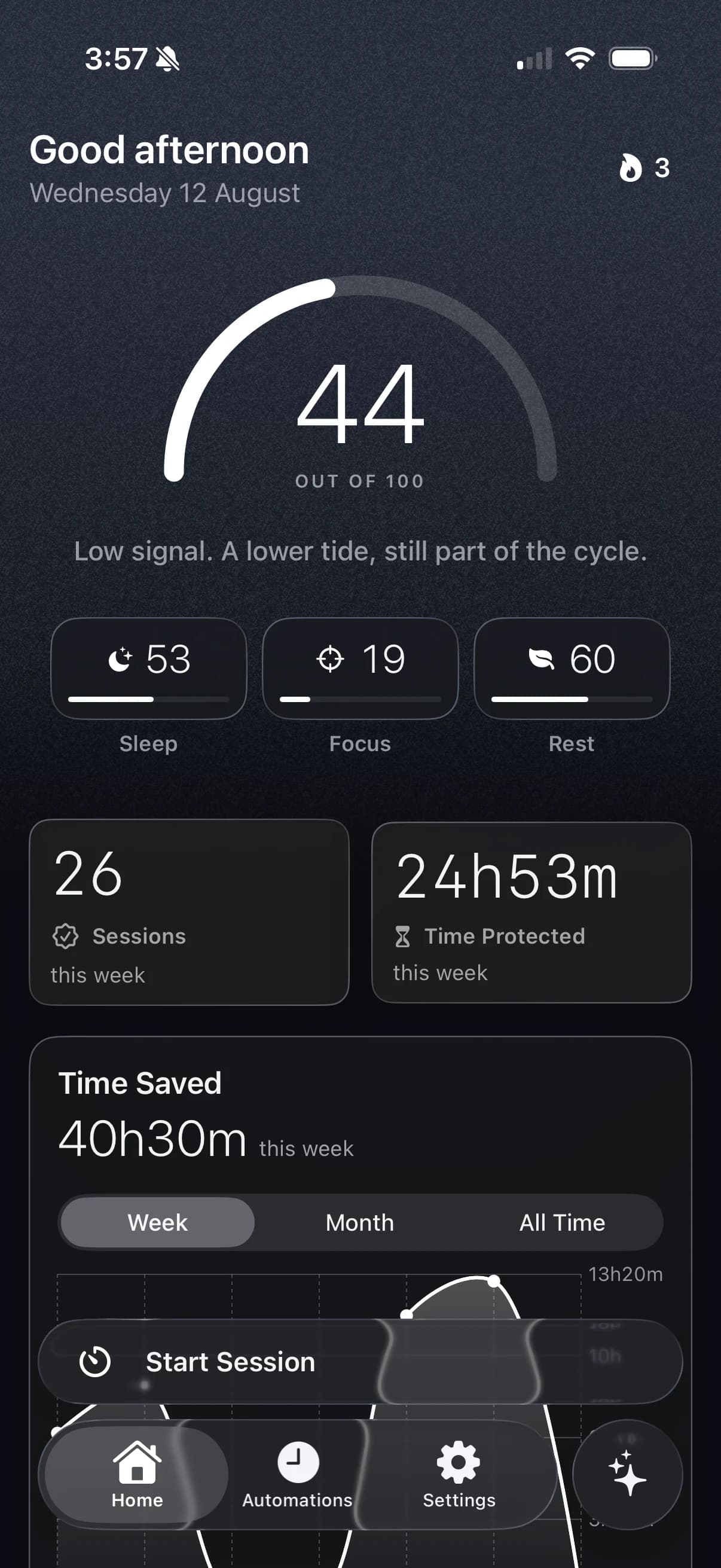
INSIGHTS
See where your time actually goes.
- Daily Focus, Sleep and Rest scores in one dial
- Time protected this week, session history and day-by-day timeline
- Streaks, top blocked apps, and the moments your focus tends to break
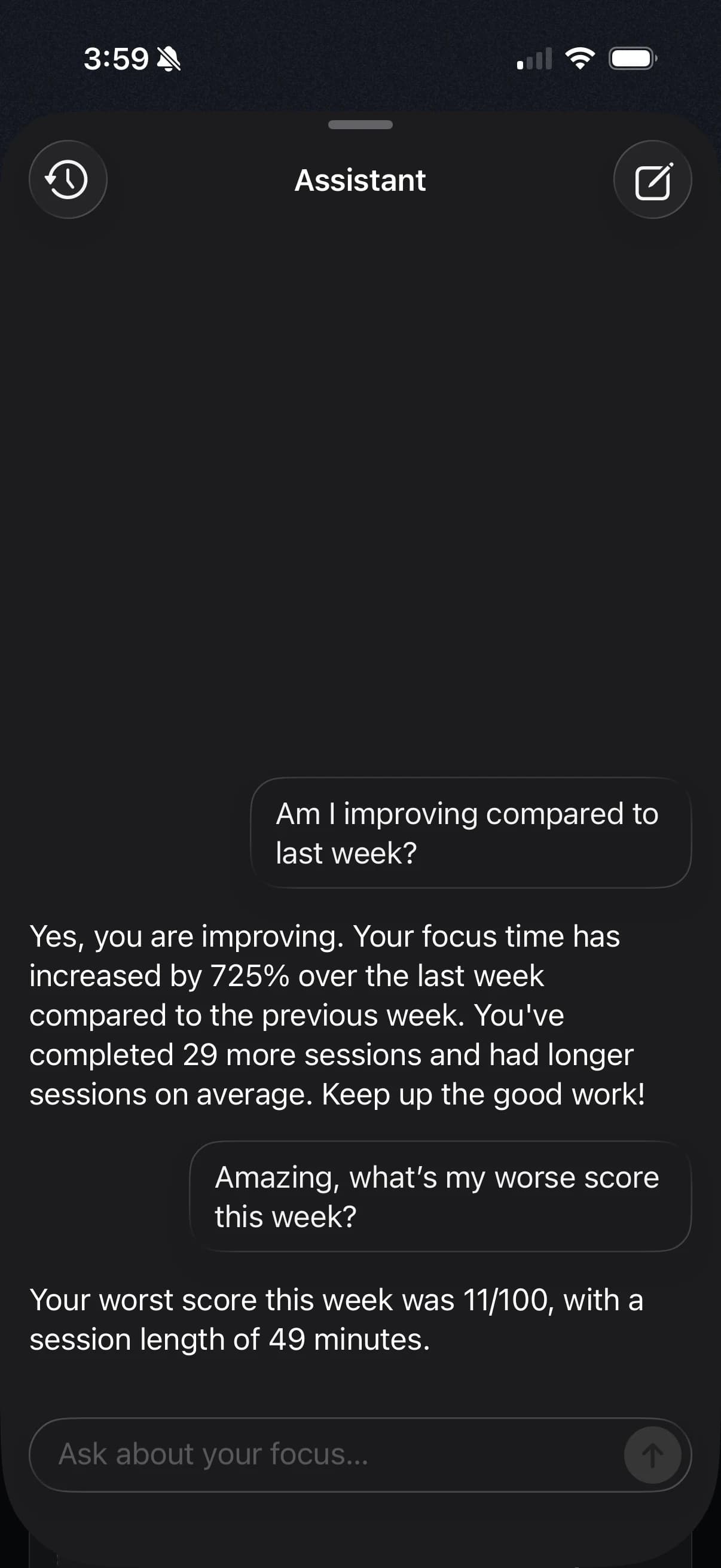
AI COACH · ON DEVICE
A coach that runs on your iPhone. Only your iPhone.
Ask “How did my focus go this week?” or “When during the day do I focus best?” and get a straight answer drawn from your own data. It can suggest routines, start a session or tune a schedule — always asking first.
Requires a device with Apple Intelligence enabled.
Privacy, not a promise page.
Your Screen Time activity is processed on your device. Your sessions, routines and conversations stay on your device. We never see them.